Please check the setup instructions for your device.
Wi-Fi connection is required for setup
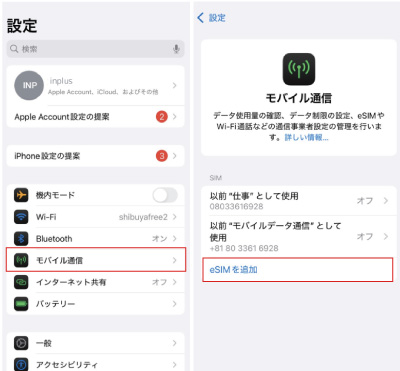
Add eSIM from the Settings screen.
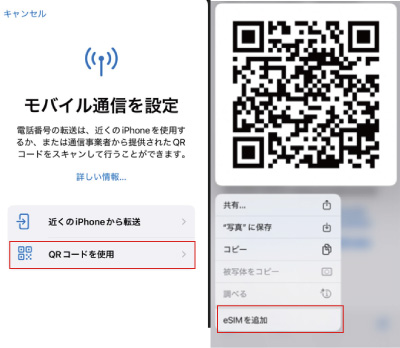
Add eSIM using the QR code.
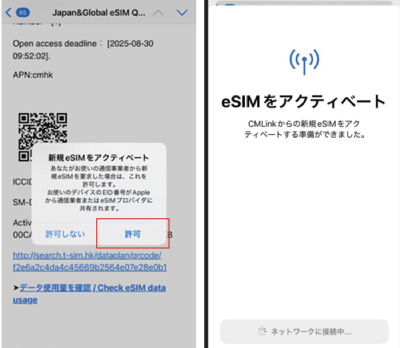
Follow the on-screen instructions to activate.
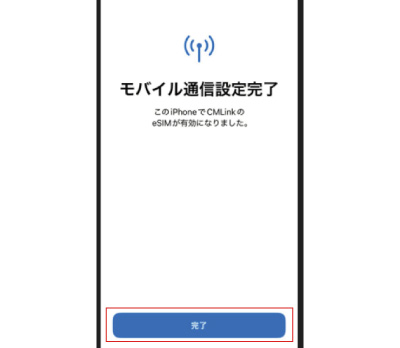
The setup is now complete.
Wi-Fi connection is required for setup
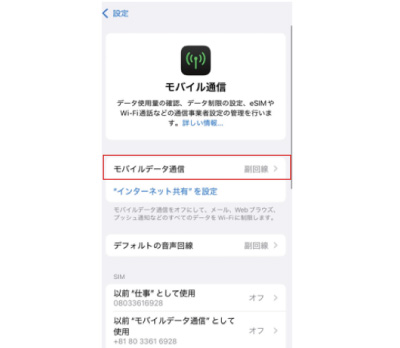
Turn on eSIM and select it as the default line for mobile data.
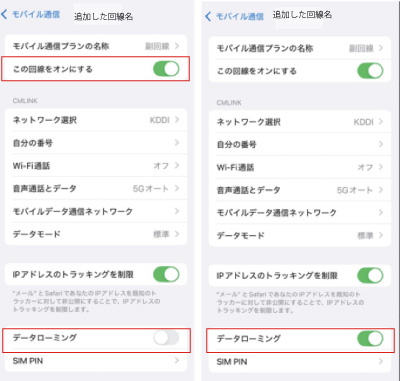
Select the newly installed eSIM plan, turn on the selected eSIM line, and enable Data Roaming.
Wi-Fi connection is required for setup
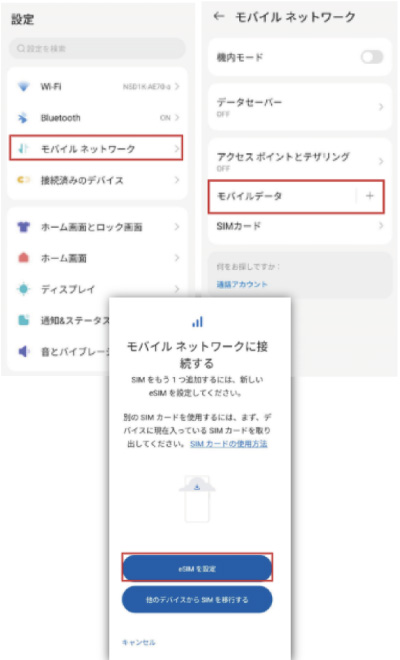
Select Network and Internet from Settings and click [+].
Select Add eSIM.
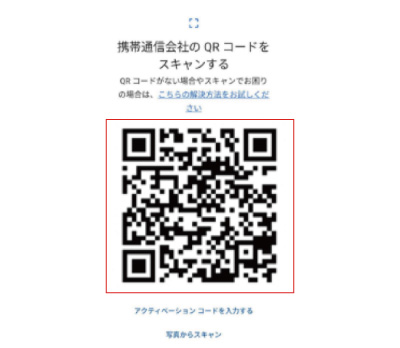
Scan the QR code.
Wi-Fi connection is required for setup
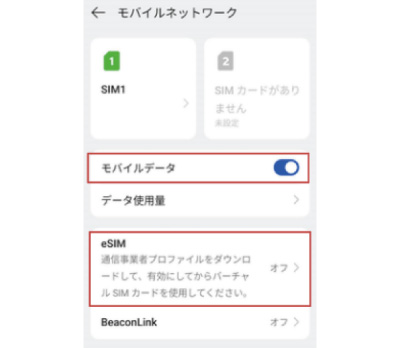
Turn on the added eSIM and enable mobile data.
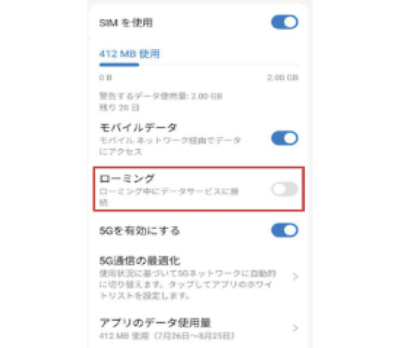
Turn on Data Roaming.
At this point, you should be able to connect to the internet in the countries covered by your purchased data plan.
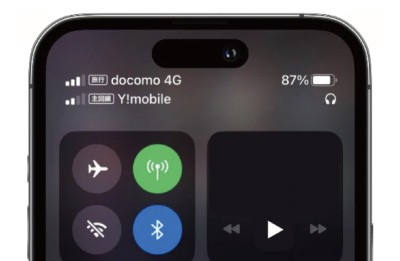
Please confirm that the signal indicator is displayed.